

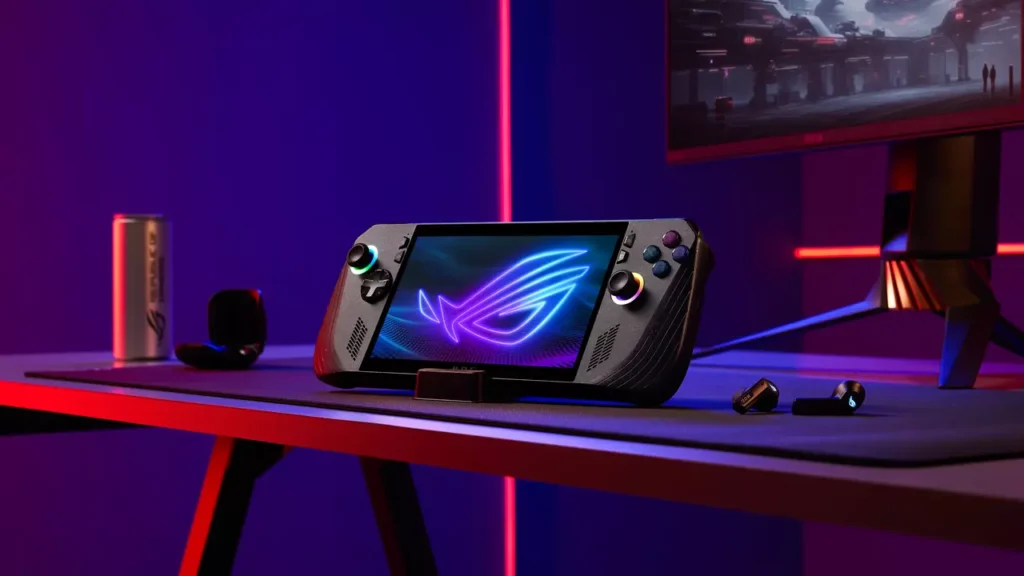
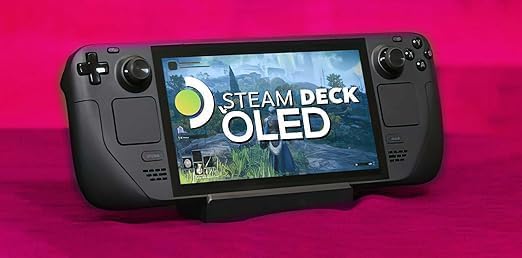
A few years ago, the idea of running AAA PC games in your hands felt like a gimmick. Now it’s a legitimate choice between two heavyweights that each promise the full PC experience in a portable form. On one side is Valve’s Steam Deck OLED, a refined version of a handheld that already defined the category and is one of the first entries into the new ear of handheld gaming. On the other is ASUS’s ROG Ally X, a powerhouse refresh of the original Ally that brings a bigger battery, more RAM and more muscle under the hood.
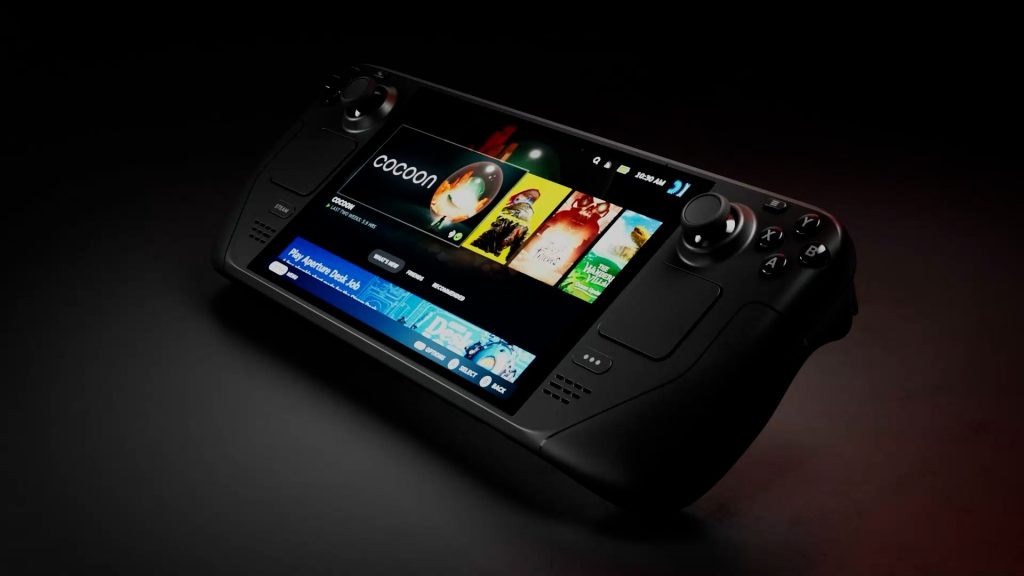
Both are aimed at gamers who want to take their PC library on the go. But they go about it in completely different ways. The Steam Deck OLED is built around SteamOS, Valve’s own Linux-based operating system, designed to make PC gaming feel simple, consistent, and console-like. You turn it on, pick a game, and play, the quick resume is also a godsend. It’s an experience that hides the complexity of PC gaming behind a clean interface and smart software design.
The ROG Ally X, is powered by Windows 11. It’s a full PC in your hands, with all the flexibility and annoying settings tweaks that comes with a gaming PC. You can run Steam, Xbox Game Pass, Epic, GOG, emulators, mods or even productivity apps. You can plug in peripherals, tweak performance settings and customise it endlessly. But you also deal with Windows bloatware, driver updates, and software that wasn’t built for a seven-inch screen.
The Deck OLED is a curated experience built for players who just want to game, while the Ally X is for those who want full control, even if it means doing a bit of tinkering. They’re both excellent, both powerful, and both capable of running the same games but which one actually makes sense for you depends on how you like to play.
Performance and Power
The ROG Ally X is easily the more powerful handheld. It runs on AMD’s Ryzen Z1 Extreme chip, an eight-core, sixteen-thread processor built on the Zen 4 architecture with RDNA 3 graphics. It can operate between 9 and 30 watts depending on the selected performance mode and power source. At the top end, it delivers roughly double the graphical performance of the Deck OLED in synthetic benchmarks. That gives it a clear advantage in demanding titles when targeting 1080p resolution or higher settings.
The Steam Deck OLED uses a custom AMD APU based on Zen 2 and RDNA 2. It’s technically weaker on paper, but Valve’s close control over hardware and software narrows the gap in real-world gaming. The Deck is tuned for an 800p target at around 15 watts or less, which is ideal for most of its library. It comfortably hits 30 to 60 frames per second in modern releases and often goes higher in indie games.
The Deck runs cooler and quieter, delivering predictable performance without needing to tweak anything. The Ally X rewards players who like to fine-tune wattage, frame caps and resolution to squeeze every drop of power from its stronger GPU. Both can handle new releases like Cyberpunk 2077 or Starfield, but the Ally X can push higher detail and resolution while the Deck prioritises stability and efficiency.
Battery Life
Battery life is one of the most practical questions when choosing a handheld. The ROG Ally X has an 80 watt-hour battery, double the 40 watt-hour capacity of the original model. It’s among the largest batteries in any mainstream handheld gaming PC. ASUS aimed to roughly double endurance, and early testing shows clear improvement, though real-world results still depend heavily on power mode and game type. Expect around 1-2 hours in demanding AAA titles when running in balanced or turbo mode, and up to three or slightly more hours in moderate settings or less intensive games.
The Steam Deck OLED uses a smaller 50 watt-hour battery but pairs it with a more efficient 800p display and lower-power APU. That efficiency makes its endurance more predictable. In heavier games, battery life can drop to around two hours, but most mid-range or indie titles reach between 3 and 4 hours. Lightweight 2D or retro games can stretch even further. Neither device is suited for long sessions of high-end gaming without external power, but the Deck offers steadier performance per charge while the Ally X provides more flexibility through its larger capacity and adjustable power limits.
Both charge via USB-C Power Delivery. The Steam Deck OLED ships with a 45-watt charger optimised for its power draw, while the Ally X includes a 65-watt adapter that supports faster charging and sustained higher wattage under load. The Ally X takes longer to recharge its larger battery, but it can maintain higher performance for longer sessions. Valve’s design remains focused on efficiency and consistency, making the Deck more reliable for casual, unplugged gaming.
Display
Valve’s OLED screen is the single biggest improvement in its lineup. The 7.4-inch OLED panel delivers perfect blacks, vivid colour, HDR support, and up to 90Hz refresh. It’s also brighter than the original LCD model, making outdoor play far more viable. The 1280×800 resolution might sound modest, but it’s well matched to the GPU’s capabilities. At this size, the pixel density is high enough that image sharpness looks clean, and the reduced rendering load allows the APU to hold performance comfortably.
The ROG Ally X features a 7-inch 1080p IPS display with a 120Hz refresh rate and variable refresh support. It produces a crisp, fluid image, particularly in desktop mode or text-heavy games where sharpness matters. Its colours are accurate and bright, but it lacks the deep contrast and instantaneous pixel response of OLED. It remains one of the better LCDs in any handheld, yet side by side the Deck’s OLED panel looks richer and more dynamic.
The decision between the two depends on priorities. The Ally X wins in resolution and refresh speed, giving competitive games an edge in clarity and motion. The Deck OLED wins in overall image quality, colour depth, and immersion. For most players, the difference is immediately visible in dark scenes and artistic titles that use strong contrast.
Controls and Comfort
Ergonomics are one of the hardest aspects to get right and Valve’s design continues to stand out. The Deck’s full-size grips make it easy to hold for long sessions. The button layout feels natural, the triggers have consistent travel and the analog sticks sit comfortably. The dual trackpads remain unique to the Deck, allowing players to emulate mouse input in desktop mode or precision-aim titles. They’re particularly useful for strategy games, emulation and navigation without a keyboard.
The Ally X refines the design of the original model. ASUS reshaped the grips for better comfort, improved the D-pad for greater accuracy, and adjusted the rear macro buttons to reduce accidental presses. The build feels sturdier overall. It weighs about 678 grams compared to the Steam Deck OLED’s 640 grams, but the slimmer chassis distributes weight differently. Its flatter profile will feel natural to anyone used to a standard controller, while the Deck’s deeper grips provide stronger wrist support during longer play sessions.
Both are well-designed and comfortable to use, but over extended periods the Deck’s curved grips and balanced weight tend to feel more ergonomic. The Ally X is easier to slip into a bag and feels sleek in the hand, though its flatter frame can be less secure for players with larger hands.
Software and User Experience
This is where the two devices truly diverge. SteamOS on the Deck is purpose-built for handheld gaming. The interface is clean, responsive and designed for controller input. Games launch directly from the library without needing desktop interaction. Valve’s Proton compatibility layer translates Windows games to Linux seamlessly for the majority of titles and the Verified system clearly labels what works well. Suspend and resume are fast for most games and updates happen quietly in the background.

Windows 11 on the Ally X offers unmatched flexibility. You can run any launcher, mod or application without compatibility layers. Xbox Game Pass, Epic Games Store, GOG, Battle.net and emulators all work natively. The trade-off is maintenance. ASUS’s Armoury Crate SE overlay simplifies access to games and performance settings, but you still have to manage drivers, updates and notifications that are not designed for touch or controller navigation.
The Deck feels like a dedicated gaming device, while the Ally X behaves like a portable laptop. One focuses on ease of use, the other on control. For players who enjoy tweaking performance or experimenting with mods, Windows is the right choice. For those who just want to turn it on and play, SteamOS is hard to beat.
Compatibility and Ecosystem
The Deck’s greatest strength is its integration with Steam. The majority of PC games now work without any setup and Valve’s updates continue to improve support for anti-cheat and multiplayer titles. Linux remains a limitation for a small number of games that rely on specific Windows components and software but the list continues to shrink.
The Ally X, running Windows, has full compatibility by default. Every launcher, anti-cheat system and mod works as expected. You can also use the device for non-gaming tasks such as video editing or streaming with OBS. However, that same openness introduces more variables, from system updates to background processes and bloatware that can impact stability.
Both devices support external peripherals, but the Ally X offers two USB-C ports with one supporting USB4, allowing for external GPUs or full docking setups. The Deck can dock as well, but its single USB-C port limits simultaneous connections.
Design and Build
Valve’s industrial approach is still one of the most practical. The Deck is made from high-quality plastics with a matte finish that hides fingerprints. The buttons and triggers have satisfying resistance and the device feels durable enough for daily travel. The OLED revision improved internal thermals and fan noise, making it quieter under load.
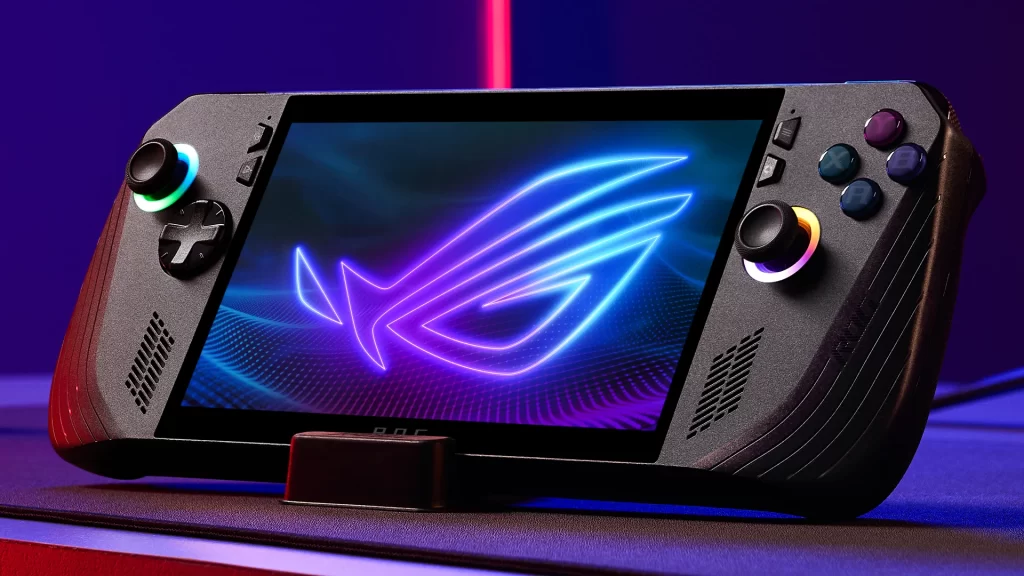
The Ally X takes a more modern look with an all-black finish and subtle RGB rings around the sticks. It feels premium and well constructed. The new cooling system is quieter than before and spreads heat more evenly across the body. Because of its higher power ceiling, it still warms up faster during demanding sessions, but it stays within safe and comfortable limits.
Neither device feels cheap. The Deck’s design prioritises comfort and longevity, while the Ally X emphasises refinement and versatility. Both will survive real-world use, though Valve’s model feels slightly more rugged.
Price and Value
The Steam Deck OLED remains the better value for most players. The 512 GB model retails for around $549 USD, while the 1 TB version sits at $649 USD. The ROG Ally X is priced around $799 USD. Regional pricing varies, but the pattern holds: the Deck is more affordable and the Ally X commands a premium.
That premium buys more power, more RAM, a larger battery and a full Windows environment. Whether that is worth it depends entirely on use. If you play a wide mix of games from multiple launchers or want to replace a laptop, the Ally X earns its cost. If you mostly play through Steam and want a simpler handheld experience, the Deck OLED offers exceptional value and polish.
Verdict
Both handhelds are impressive, but they serve different audiences. The Steam Deck OLED focuses on the experience of gaming itself. It is comfortable, efficient, easy to use, and its OLED screen looks incredible. It asks for very little setup and rewards you every time you turn it on.
The ROG Ally X is built for players who want control. It is more powerful, supports every platform and can double as a desktop with the right setup. It’s ideal for people who enjoy tweaking performance, using Game Pass or running mods and emulators.
If you want a device that feels like a console and simply works, the Steam Deck OLED is the better choice. If you want a portable PC that you can customise endlessly and push to its limits, the ROG Ally X is the stronger tool. Both are great. Having gamed extensively on both, the choice for me is the ROG ALLY X as I enjoy using game pass and multiple launchers. However, in saying that, the deck is great for suspend/resume gaming, unplugged gaming along with ease of use. Choose what matters most to you.
As always, my emails are open brett@nightmodegaming.com
No responses yet